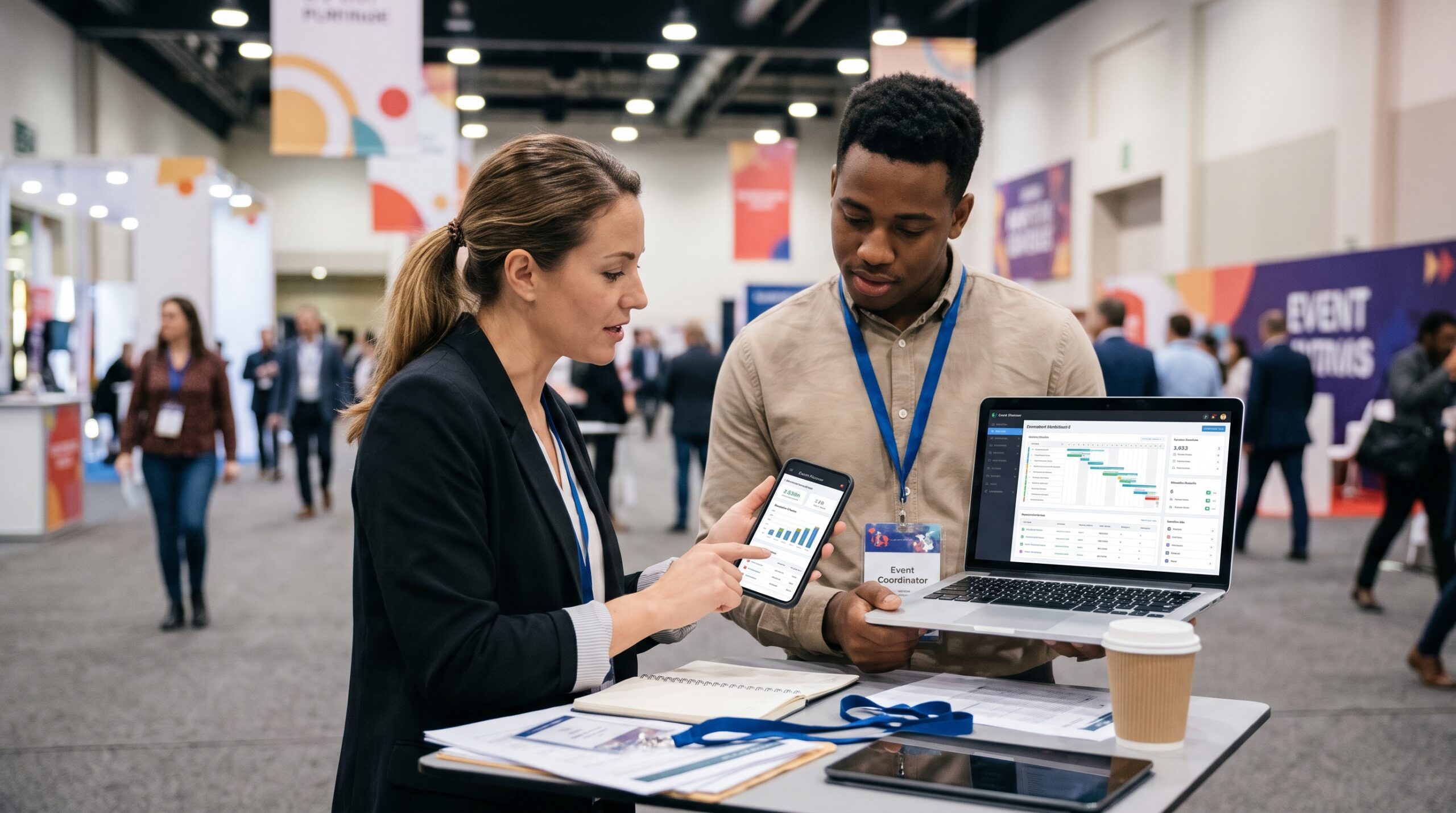
I have sat in a lot of rooms where an event fell apart quietly, and almost every time, the trouble traced back to event planning apps that didn’t talk to each other. Nobody cried and nobody yelled. Registration ran in one tool, the agenda lived in a shared doc nobody had updated since Tuesday, and the badge printer was talking to a spreadsheet exported at 2 a.m. By the time the keynote started, three different “final” attendee lists were floating around the venue, and the team spent the morning reconciling them instead of greeting people.
That is the problem I get hired to fix. As an event technology consultant, most of my work isn’t about finding the flashiest platform. It’s about matching the right event planning apps to the people actually running the event, and to the size and stakes of that event. A 40 person product launch and a 4,000 person association conference need very different tools, and so do a corporate events team and someone throwing a milestone birthday.
So this isn’t another list of event planning apps with the vendor’s marketing copy pasted underneath. I’ve grouped the tools the way I group them for clients: by who is holding the clipboard. I’ll tell you where each one shines, where it disappoints, and the questions I ask before I recommend anything.
First, What Event Planning Apps Should Actually Do
Before naming names, it helps to be honest about the jobs event planning apps are supposed to do. Almost every event, large or small, runs through the same five stages:
- Inviting: getting the word out, through invitations, a registration page, or ticket sales.
- Tracking: knowing who is coming, who paid, who has dietary needs, and who has gone silent. That headcount is what tells you how much food per person for a buffet you actually need to order.
- Coordinating: the behind the scenes work of tasks, vendors, budgets, timelines, and the team, including knowing how to choose a caterer who can keep up with your schedule.
- Engaging: what guests experience on the day, such as the agenda, the map, networking, polls, and live Q&A.
- Learning: the follow up survey, the attendance data, and the honest look at what worked.
No single tool is the best at all five. The bigger platforms try, and some come close. But the most common mistake I see is a team buying an enterprise suite to solve a stage two problem, or a solo host trying to stretch a free invitation tool into a full conference platform. Knowing which stage hurts most for you is half the decision.
Review data backs this up. On G2’s event planning category, the buyer mix skews heavily toward smaller organizations: small businesses make up 46% of buyers and midmarket companies 44%, with enterprise at just 10%, according to G2’s event planning software rankings. In other words, most people shopping for event planning apps aren’t running massive global conferences. They need something that works without a dedicated tech team, and that changes which tools deserve a spot on the shortlist.
Event Planning Apps for Social Hosts: Parties, Showers, Reunions, and Dinners
When you’re planning a birthday, a baby shower, a housewarming, or a friends’ weekend, you don’t need badge printing or sponsor analytics. You need a good looking invitation, a reliable RSVP count, and ideally a way to nudge the stragglers without sending fourteen awkward texts. Once the replies are in, you can turn your attention to the fun part, like browsing buffet catering ideas that fit your crowd. Here are the event planning apps I point friends and family toward.
Partiful
Partiful has become the default for a lot of younger hosts, and for good reason. It treats an event as a party page rather than a formal card. You set it up in minutes, guests reply by text, and it handles reminder messages for you. Nick Gray, who has hosted hundreds of gatherings and writes about it at Party.pro, recommends it as the simplest way to collect replies through text messages, and notes it includes automatic reminders, in his roundup of Evite alternatives.
Where it works best: casual gatherings, younger guest lists, events where the vibe matters more than formality.
Where it falls short: it doesn’t feel right for a formal wedding or a black tie gala, and there is limited control over design compared to stationery apps.
Evite
Evite has been around since the late 1990s, and its biggest strength is familiarity. Your aunt has used it. So has your neighbor. That counts for something when your guest list spans three generations. The catch is the free tier: guests see outside ads around your invitation and along the reply flow, a frequent complaint Greenvelope points out. The paid version removes those, and it’s priced per event rather than per guest.
Where it works best: large casual guest lists on a tight budget, or crowds that won’t try anything new.
Where it falls short: the free experience feels cluttered, and design options are more playful than refined.
Paperless Post
When the invitation itself is part of the occasion (think engagement parties, milestone anniversaries, or an elegant holiday dinner) Paperless Post is the one I suggest. The designs genuinely feel like stationery, including collections from well known designers. The tradeoff is cost. Paperless Post charges per invitation through a coin system, while Evite has a free tier supported by ads, as RSVPify’s comparison explains. For a list of 30, that’s fine. With 200 guests, do the math before you fall in love with a design.
Where it works best: formal or sentimental occasions where looks matter.
Where it falls short: pricing adds up quickly on big lists, and the planning tools beyond the invite are thin.
Luma
Luma sits between social and professional. It’s clean, fast, and popular for meetups, community events, small workshops, and tech gatherings. It handles registration, approvals, calendar invites, and simple ticketing without feeling corporate. I recommend it often to people running recurring community events who have outgrown a group chat but don’t want a full event management platform.
My honest take for social hosts: pick based on your guests, not yourself. A crowd that lives in text messages will respond best to Partiful. Guests who live in email and appreciate polish suit Paperless Post. When free and familiar matter most, accept the ads and use Evite.
Event Planning Apps for Independent and Small Business Planners
This group includes wedding planners, small agencies, venue coordinators, and people who run a handful of client events every month. Your pain isn’t the invitation. It’s the business side: proposals, contracts, payments, timelines, vendor coordination, and remembering which client wanted the peonies, or which wedding buffet menu the couple finally signed off on. The event planning apps that help most here are the ones that take paperwork off your plate.
HoneyBook
HoneyBook is a client management platform rather than a pure event tool, and that’s exactly why independent planners love it. Proposals, contracts, invoices, and payment schedules sit together in one client file. When I audit a solo planner’s workflow, I usually find hours each week lost to chasing signatures and deposits. HoneyBook closes that gap. Its own guide to tools for event planners makes a fair point that I repeat to clients all the time: keep your stack lean and well integrated so you aren’t manually copying the same information across several apps.
Where it works best: solo planners and small studios who need the money and paperwork side handled.
Where it falls short: it won’t run your event day experience; you’ll pair it with something else for guests.
Planning Pod
Planning Pod is built specifically for event professionals and venues, and it covers ground that general tools don’t: floor plans and seating charts, event timelines, budgets, vendor lists, and guest management. Those floor plan tools matter most once you’ve settled the buffet vs plated dinner question, since the service style changes how the whole room is laid out. It’s not the prettiest interface I’ve used, but it’s practical. Venue coordinators in particular tend to stick with it once they’re set up.
Where it works best: venues and planners juggling many events at once who want event specific features.
Where it falls short: the learning curve is real, and the interface feels dated next to newer apps.
Project Management Tools That Work as Event Planning Apps
Here’s something vendors won’t tell you: a lot of excellent planners run their behind the scenes work in a general project management tool, not one of the dedicated event planning apps. ClickUp currently sits at the top of G2’s event planning rankings, which surprises people until they see how many teams use it to manage task lists, vendor deadlines, and run of show documents. Trello’s card boards work beautifully for visual thinkers, and Asana is strong for teams that need clear ownership and dependencies.
My rule here: once your event has more than about 30 moving tasks and more than two people involved, get your coordination out of email and into a shared board. It doesn’t matter which one. It matters that everyone uses the same one.
Event Planning Apps for Corporate and Conference Organizers
Now we’re in the territory where the stakes, and the budgets, climb fast. Corporate events teams, associations, and conference organizers need registration, payments, badging, session management, attendee apps, sponsor tools, and reporting that proves the event was worth the money. They also need food logistics that scale with the headcount, which is its own discipline covered in our guide to corporate event catering. This is where I spend most of my consulting time, and where choosing the wrong event planning apps costs the most.
Cvent
Cvent is the heavyweight. For large, complex programs with multiple departments involved, it’s usually on the shortlist and often wins. It covers venue sourcing, registration, room blocks, onsite check in, badging, and its Attendee Hub mobile app. Cvent’s app includes AI driven session recommendations along with live polling, chat, and Q&A during sessions, according to its mobile event apps overview.
When it’s deployed well, the results are striking. Cvent reports that one customer saw 100% event app adoption and a 75% survey response rate, numbers you can read on its in person event platform page. That said, treat vendor case studies as best case scenarios. In my experience, adoption that high only happens when the app is the only place to find the agenda, WiFi details, and room changes. Print a full paper program alongside it, and your app numbers will drop.
Where it works best: enterprise programs, multi event calendars, registration heavy conferences.
Where it falls short: it’s expensive, setup takes real time, and smaller teams often use only a fraction of what they pay for.
Whova
Whova is the app I recommend most often to midsized conferences and associations that want strong attendee engagement without enterprise complexity. Its networking features, community boards, and gamified leaderboards genuinely get people talking before the event even starts. Attendees seem to agree: on G2’s mobile event apps rankings, Whova holds a 4.8 out of 5 rating across more than 1,500 reviews, compared with Cvent’s 4.3 across roughly 2,200.
Where it works best: conferences, expos, and association meetings where networking is the main reason people attend.
Where it falls short: branding customization is more limited than with premium app builders, and very large enterprise programs may outgrow it.
Bizzabo
Bizzabo positions itself around the event experience as a whole, with strong tools for hybrid formats, attendee networking, and marketing integrations. Teams focused on event marketing (where the event is part of a sales and pipeline strategy) tend to like how it connects attendee behavior to their CRM.
Where it works best: B2B marketing teams running flagship events and hybrid programs.
Where it falls short: custom pricing makes budgeting tricky early, and it’s more than a small team needs.
Swapcard
Swapcard is built around matchmaking and exhibitor value. Its app links attendees with content, people, and booths, and it offers what it calls conversation analytics to measure the quality of networking, not just the volume, as described on its attendee engagement features page. For trade shows where sponsors and exhibitors fund the event, that’s a meaningful selling point. Exhibitors want proof of leads, and Swapcard gives organizers a way to show it.
Where it works best: trade shows, expos, and exhibitor funded events.
Where it falls short: it’s less suited to small internal events or simple social gatherings.
EventMobi
EventMobi is a strong pick when the branded app itself matters. Organizations that want an app that looks and feels like their brand rather than a vendor’s will appreciate how much control its builder gives. Guideflow’s roundup of event planning software lists it as a top option for conferences that need branded apps.
Where it works best: associations and corporate teams with strict brand standards.
Where it falls short: it focuses on the app experience, so you may still need separate tools for venue sourcing and budgeting.
Eventbrite
Eventbrite deserves a mention because it’s often the first ticketing tool anyone tries, and it remains one of the most reliable event planning apps for public, ticketed events like workshops, classes, festivals, and community shows. Its biggest advantage is discovery: people browse Eventbrite looking for things to do, which can bring in buyers you’d never reach otherwise. TechRadar names it among the best known event management solutions in its 2026 roundup.
Where it works best: public ticketed events that benefit from built in audience discovery.
Where it falls short: fees can sting on higher priced tickets, and it’s not designed for complex private corporate programs.
No Code Event Planning Apps for Custom Needs
Sometimes nothing off the shelf fits. Maybe you run a recurring internal event with very specific workflows, or you need a simple app for volunteers rather than attendees. No code builders like Jotform Apps and Adalo let you assemble your own event planning apps, registration forms, and checklists without hiring a developer.
I’ll be candid: these are fantastic for small and midsized events and for internal operations, but I rarely recommend them as the main attendee app for a large conference. You become the support desk when something breaks. For a 50 person retreat, that’s manageable. A 2,000 person summit is a different story, and it’s a risk most teams shouldn’t take on.
How I Help Clients Choose Event Planning Apps: The Questions That Matter
When a client asks me “what are the best event planning apps,” I answer with questions. These are the ones that usually decide it.
1. Who Is Doing the Work?
A platform is only as good as the person running it. A two person events team that also manages the newsletter will leave a complex enterprise suite half configured. Be realistic about the hours your team can spend on setup and training.
2. Which Stage Hurts Most Right Now?
Go back to the five stages. Chasing RSVPs calls for an invitation tool. Vendor chaos calls for a project management tool. Empty networking sessions call for an engagement app. Don’t purchase a suite to solve one problem unless you’ll realistically use the rest.
3. Where Does the Data Need to Go Afterward?
This is the question teams skip and regret. When your sales team needs attendee activity in Salesforce or HubSpot, integration isn’t a nice extra; it’s the whole point. Cvent, for example, says engagement activity in its app (sessions attended, content viewed, exhibitor visits) feeds into its scoring tools and can be shared with other systems, as noted on its mobile event apps page. Confirm exactly how any of your event planning apps move data out before you sign.
4. Will Guests Actually Download It?
Every organizer believes their attendees will happily install another app. Many won’t. Ask vendors whether their attendee experience works in a mobile browser too, and plan to make the app genuinely useful: live room changes, the WiFi password, the shuttle schedule. Give people a reason to open it.
5. What Happens on a Bad Day?
Ask about offline mode for check in, support response times during your event, and what happens when venue WiFi collapses. I’ve watched a check in line stretch out the door because a cloud only badge system lost its connection. The demo never shows you that scenario, so ask about it directly.
6. What Does Year Two Cost?
Introductory pricing is common across event planning apps. Get the renewal terms in writing, and understand what counts as an “event,” an “attendee,” or a “registration” in the contract. Those definitions decide your real bill.
A Simple Stack of Event Planning Apps by Event Size
Here’s the shorthand I give clients when they want a starting point rather than a seminar.
Under 50 guests, social: Partiful or Evite for invitations, a group chat for logistics, and a shared note for the shopping list. If you’d rather skip the cooking, online catering ordering takes the food off your list entirely. Anything more is overkill.
Small professional gatherings: Luma for registration, a shared project board for tasks, and a short follow up survey through a form tool.
50 to 300 guests: Eventbrite or Luma for registration and ticketing, Trello or ClickUp for coordination, and an engagement tool like Whova when networking matters to the event.
300 to 2,000 guests: a dedicated platform such as Whova, Bizzabo, or Swapcard, connected to your CRM, with a project management tool running alongside for the internal team.
2,000 and above, or many events per year: an enterprise platform like Cvent, set up with proper training, a clear owner on your team, and a realistic implementation timeline of several months, not several weeks.
Common Mistakes With Event Planning Apps
Buying on Features Instead of Workflow
The vendor with the longest feature list isn’t automatically the right fit. I’d rather a client use 80% of a modest tool than 15% of a powerful one.
Launching the App Too Late
Attendees who first hear about the event app the morning of the event rarely adopt it. Introduce it in confirmation emails, use it for networking ahead of the event, and make it the official source of truth well in advance.
Ignoring Accessibility
Screen reader support, readable font sizes, and clear contrast aren’t optional. Ask every vendor how their attendee experience performs for guests with disabilities, and test it yourself.
Forgetting the Follow Up
The post event survey is where you learn what to do better next time, and it’s often sent too late to get honest answers. Send it within 24 hours while the experience is fresh. Event planning apps that push the survey directly to attendees’ phones tend to earn much higher response rates than an email a week later.
Letting the Spreadsheet Win
Even the best event planning apps can’t stop someone on the team from exporting a list “just to check.” Then that spreadsheet becomes the real record, and the app falls out of date. Decide on one source of truth, and protect it.
Final Thoughts on Event Planning Apps
The best event planning apps aren’t the ones with the most impressive demo. They’re the ones your team will actually use, your guests will actually open, and your data will actually flow out of when the event is over. For a backyard birthday, that might be a free text based invitation. A three day conference, on the other hand, might call for an enterprise platform with a carefully trained team behind it.
Start with the stage that’s causing you the most pain, choose the simplest tool that solves it well, and add to your stack only when a real need shows up. That approach has saved my clients more money, and more stressful mornings, than any single platform ever has.
Frequently Asked Questions About Event Planning Apps
What are the best free event planning apps?
For social events, Partiful is a popular free option with text based replies and reminders, while Evite offers a free tier supported by ads. For community and professional meetups, Luma’s free plan covers registration and calendar invites. You can compare free options in Jotform’s guide to apps for event planners.
What is the difference between event planning software and an event app?
Event planning software usually handles the organizer’s side, such as tasks, budgets, vendors, and registration. An event app is what attendees use, with agendas, maps, networking, and live polls. G2 explains how mobile event apps work alongside planning, marketing, and ticketing tools in its mobile event apps category.
Which event planning apps are best for conferences?
It depends on size and goals. Whova is highly rated for networking at midsized conferences, Cvent suits large enterprise programs, and Swapcard is strong for exhibitor driven trade shows. Jotform’s list of event apps for conferences compares many options side by side.
How much do event planning apps cost?
Pricing ranges from free social tools to enterprise contracts quoted individually. Invitation apps often charge per event or per guest, while conference platforms commonly price per event, per attendee, or annually. Software is rarely the biggest line item, though, so budget for it alongside bigger costs like catering cost per person. Review sites like G2’s event planning category list pricing models where vendors share them.
Do attendees actually use event planning apps?
They do when the app is genuinely useful and introduced early. Making it the main source for schedule changes, maps, and venue details drives adoption. Cvent’s event app features guide covers which features tend to draw attendees in.
Is Evite or Paperless Post better for a party?
Choose Evite when a free, familiar option matters most and you can accept ads. Choose Paperless Post when the look of the invitation is part of the occasion. The Evite vs Paperless Post breakdown from Carly compares costs across guest list sizes.
References
- Jotform. 10 best apps for event planners in 2026
- Jotform. 20 of the best event apps for conferences in 2026
- G2. Best Event Planning Software rankings
- G2. Best Mobile Event Apps rankings
- G2 Learn Hub. 9 Best Event Planning Software for 2026
- Cvent. Mobile event apps and Attendee Hub
- Cvent. In person event platform and customer results
- Cvent. Top event app features
- Swapcard. Attendee engagement software features
- Guideflow. 25 best event planning software tools for 2026
- TechRadar. Best event management solution of 2026
- HoneyBook. The 10 best tools for event planners
- Party.pro by Nick Gray. The best Evite alternatives
- Greenvelope. Best Evite alternatives compared
- RSVPify. Top Paperless Post alternatives
- Carly. Evite vs Paperless Post: price, design, and RSVPs compared
Leave a Reply